Thailand cinema language guide
How to Watch a Movie in Thailand Without Speaking Thai
The film you want is playing in Thailand, but the poster and the English title won’t tell you what you will hear or what the subtitles say. The showtime listing can. Here is how to read Major Cineplex’s language codes, what to check at SF Cinema, and what to do if no screening has subtitles you can follow.
In short
- Major Cineplex’s documented codes put audio first and subtitles second: EN/TH is English audio with Thai subtitles, and TH/EN is Thai audio with English subtitles.
- Its /ET codes, such as OV/ET and JP/ET, are foreign-language audio with English and Thai subtitles.
- Those meanings come from Major’s own icon guide. Other codes and other chains can work differently, so re-check the exact cinema, date and showtime before you pay, and ask the cinema if a subtitle language is missing or unclear.
- If no showtime has subtitles you can follow, try another showtime or branch first, then bring your own subtitles: CinemaCC displays your SRT files, and you start the timeline and re-align it with the timing buttons when needed. Match the file to the theatrical cut and follow the venue’s device policy.
What do Major Cineplex language codes mean?
Major Cineplex writes the language of a screening as a short code: audio first, subtitles second. The meanings below come from Major Cineplex’s official icon guide, checked on July 28, 2026. They apply to Major’s listing system, not every cinema in Thailand.
- EN/TH: English audio with Thai subtitles. This does not provide English subtitles for English dialogue.
- TH/EN: Thai audio with English subtitles. The original-language track may not be present.
- TH/-: Thai audio with no subtitle language shown in the code.
- OV/ET: Foreign-language audio with English and Thai subtitles.
- JP/ET: Japanese audio with English and Thai subtitles.
- HD/ET: Hindi audio with English and Thai subtitles.
Which Major code should I look for?
If you understand English audio
EN/TH can work for English-language films: the audio is English and the subtitles are Thai.
If you want English subtitles
- For Thai audio: look for TH/EN.
- For other foreign-language audio: Major’s documented /ET codes, such as OV/ET or JP/ET, include English and Thai subtitles.
How to check a Major Cineplex showtime
- Select the exact branch, date and movie on Major’s official site.
- Open the showtime details and read the language pair, not only the movie’s English title.
- Translate the pair into “audio / subtitles.” For example, EN/TH is English audio / Thai subtitles.
- Check the exact showtime again before payment. A different time for the same film can be a different language version.
- If the listing only says “subtitle” without naming a language, ask Major rather than guessing.
How to check an SF Cinema showtime
- Select the exact cinema, movie and date on SF Cinema’s official site.
- Look for separate soundtrack or subtitle information on that showtime, and read the details SF shows for it.
- If English subtitles are essential and the listing is unclear, contact the cinema before buying.
What not to assume from a listing
- An English title does not mean English audio. A localized poster or English interface can still lead to a Thai-dubbed showtime.
- A foreign-language film does not guarantee English subtitles. Use the subtitle half of the documented code or ask the cinema.
- IMAX, 4DX and other formats do not define language. Screening format and language are separate attributes. Check both.
If no showtime has subtitles you understand
- Try another showtime, branch or language version before choosing a personal-device solution.
- Check whether a catalog-based accessibility or language app lists the exact film and language in Thailand. Do not rely on general app availability.
- If you use a personal SRT, match it to the theatrical cut and runtime, prepare it before arrival and follow the venue’s device policy.
Using CinemaCC for a Thailand screening
CinemaCC is a subtitle companion for the film playing on the big screen. It shows one or two SRT files on iPhone, Android or the Web player, and through the iPhone app it can also show them on a paired Apple Watch.
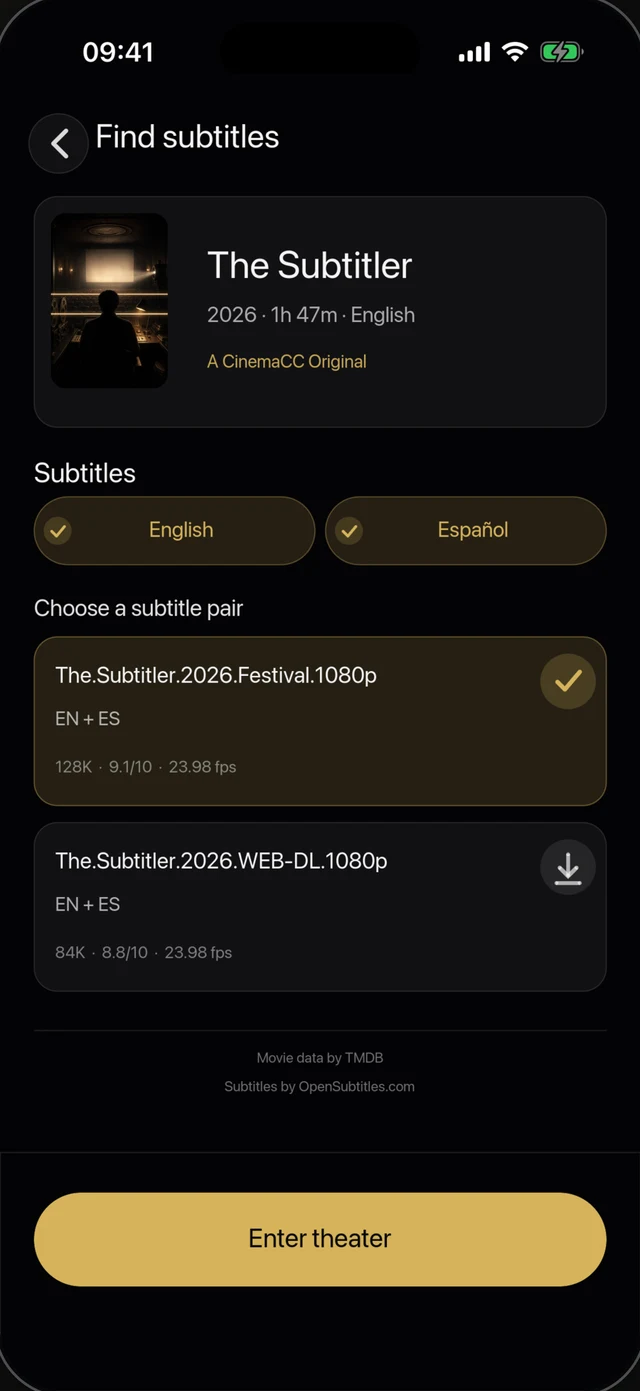
1 · Choose subtitles for the film
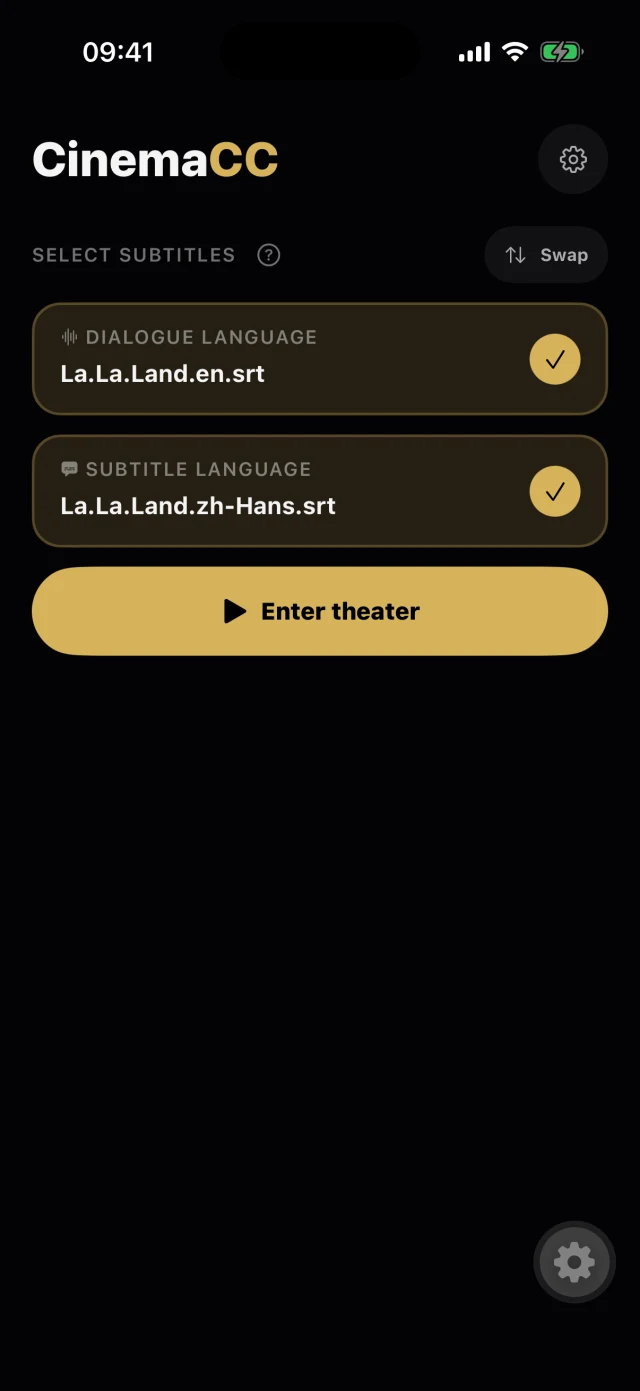
2 · The screening is ready
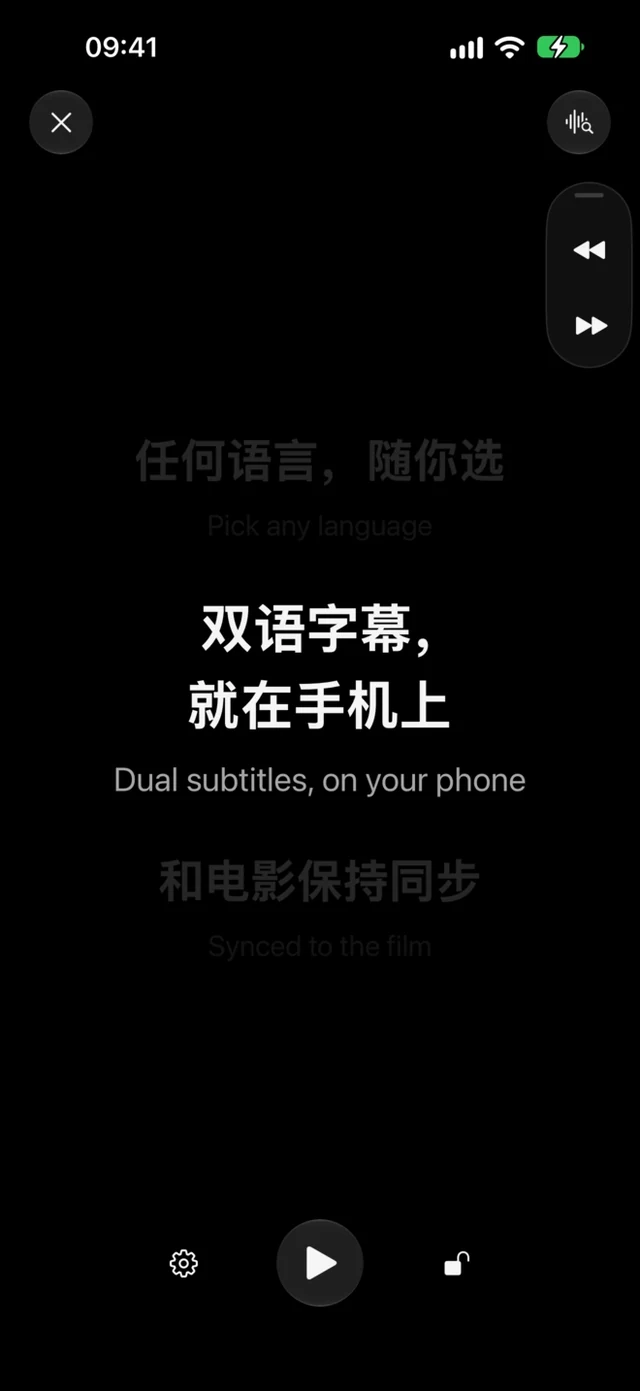
3 · Follow along in the dark
- Subtitle search has limits. Online subtitle search is not available on the Web player, and a subtitle for a given film is not guaranteed to be available. You can always use your own SRT file.
- Start it, then nudge it. You start the subtitle timeline and re-align it with the timing buttons when needed.
- Lost your place? Find My Place can help on supported iPhones running iOS 16.4–18 and iOS 26+, and on Android 13+: after you tap it, it uses a short microphone sample to try to recover your position against a supported English- or French-dialogue SRT.
- Some screenings use the buttons only. Android 12 and the Web player sync by hand. So does a film with Thai, Japanese or Hindi dialogue on any platform, because Find My Place matches English or French dialogue.
Try it before you rely on it
A product demonstration shows the workflow, not a guarantee that your subtitle file or glasses will work in a particular cinema.
Sources and further reading
Provider coverage, cinema listings and platform support can change. Sources were checked on August 19, 2026.