CinemaCC privacy and trust
Does CinemaCC Record the Movie? Privacy, Offline Use and Cinema Rules
You are about to take a phone into a dark cinema, and an app that can use the microphone deserves a question or two. CinemaCC is a personal subtitle display, not a cinema recorder. Here is when it listens, what stays on your device and what works without internet.
The short answer
- CinemaCC does not continuously record, store or upload a movie’s audio.
- Find My Place, which jumps your subtitles to the current line, listens only after you tap it, on a supported iPhone or an Android 13+ device. It processes a short microphone sample on the device and discards the audio after the attempt.
- Your subtitle files stay on your device. A prepared screening in the installed iPhone or Android app can play without a theater internet connection, and the Web player keeps files and playback state only in the current tab.
- Whether a phone is allowed in the auditorium is the cinema’s decision, not the app’s.
When does CinemaCC use the microphone?
Only after you tap Find My Place. Playing a prepared screening does not use the microphone.
Each Find My Place attempt works like this:
- You tap Find My Place. CinemaCC requests microphone access only after you choose it. It does not run a background microphone or listen throughout the film.
- The phone listens briefly. The platform’s on-device speech recognizer turns the short sample into words.
- CinemaCC looks for those words in your subtitles. It compares them with a supported English- or French-dialogue SRT and, if it finds a match, jumps to the current line.
- The audio is discarded. The microphone audio is never uploaded and is discarded after the match attempt.
Which devices can use Find My Place?
On supported iPhones and Android 13+
Find My Place is available on supported iPhones running iOS 16.4–18 and iOS 26+. Android 13+ supports it through on-device speech recognition. Manual timing remains available on every supported iPhone.
On Android 12 and the Web player
Android 12 remains manual-sync only. The Web player has no microphone or Find My Place flow; it uses manual timing controls.
Where do my subtitle files go?
- Files you import or download: they stay on your device, or in the active tab if you use the Web player.
- Downloads: in the iPhone and Android apps, subtitle bytes download directly from the third-party provider to your device. CinemaCC and Supabase do not proxy, host or store those subtitle bytes.
- History: in the iPhone and Android apps, you can keep prepared screenings in local history on the device and delete them from the app. The Web player keeps no history.
What works without internet?
A prepared screening is a film whose subtitles you have already loaded into the app.
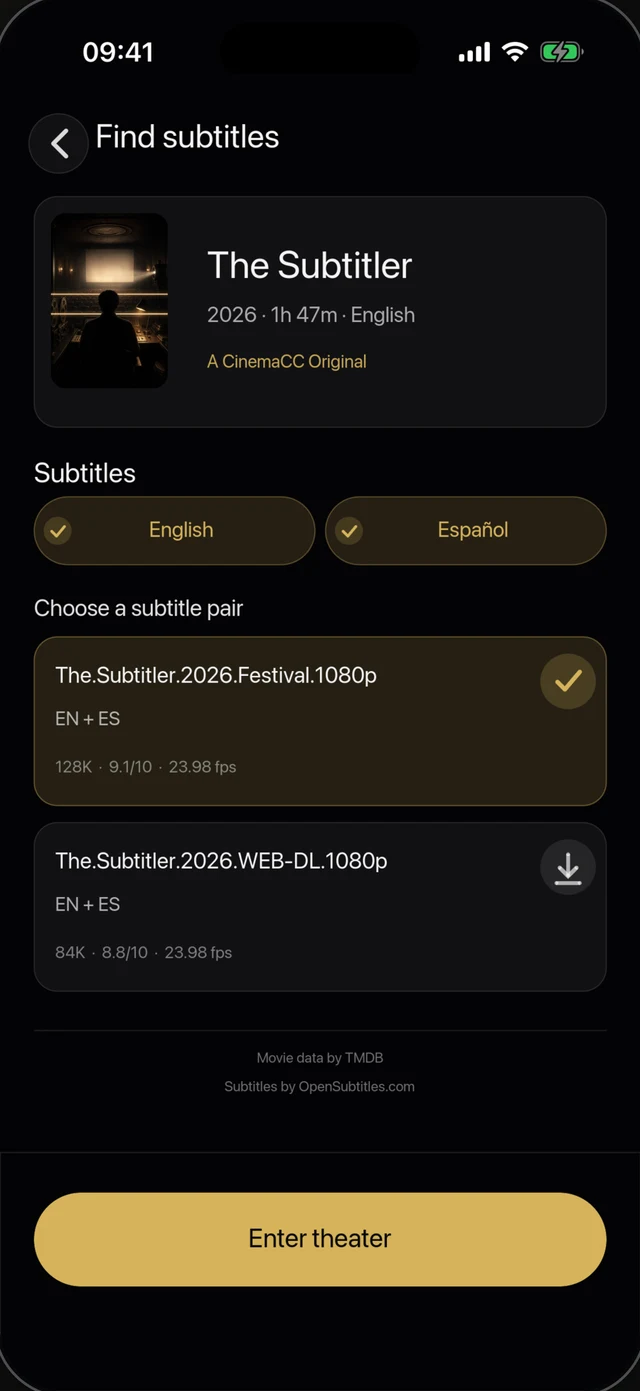
1 · Find subtitles online
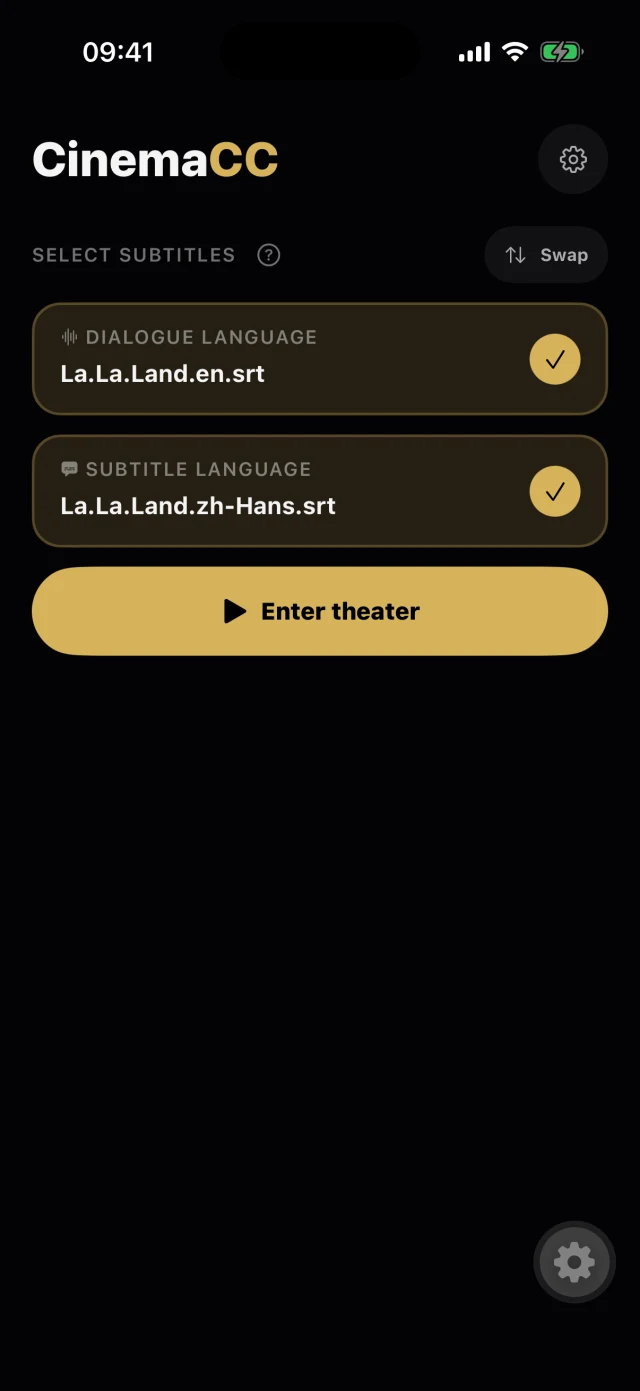
2 · The screening is prepared
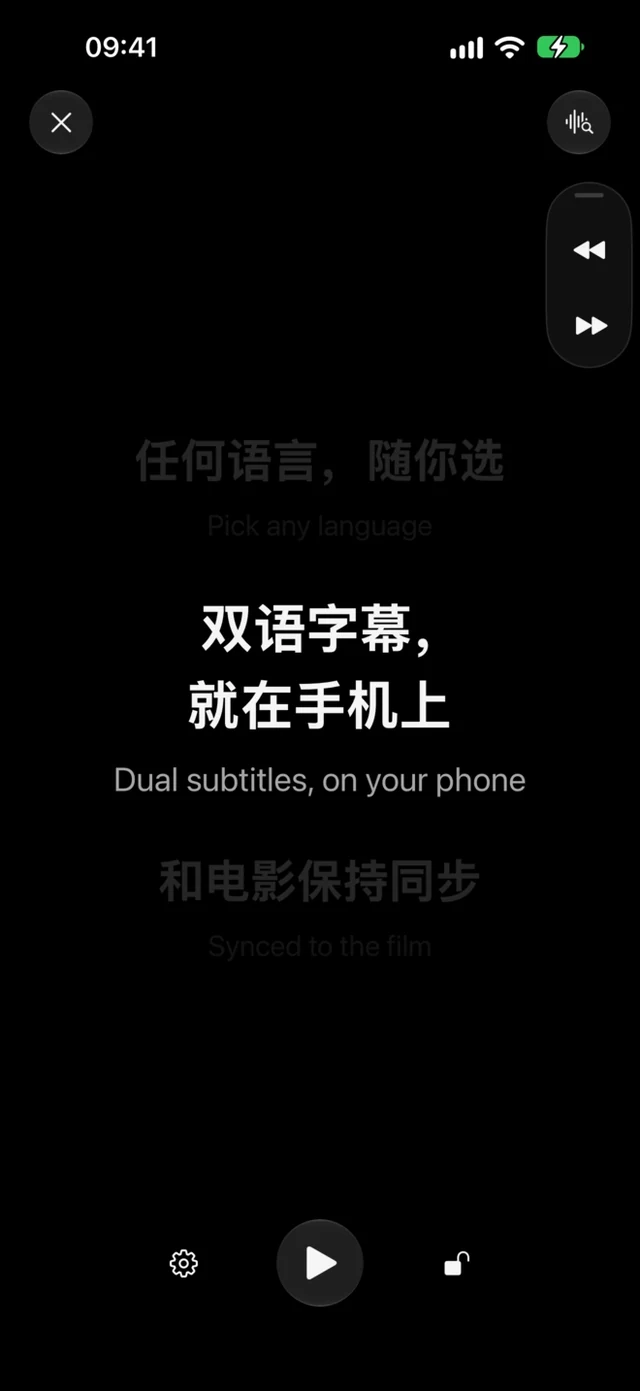
3 · Play it offline
- Plays offline: the installed iPhone and Android apps can play it without a theater internet connection.
- Needs a connection: finding or downloading new subtitles, update checks and optional diagnostics.
Does using CinemaCC mean the cinema allows a phone?
No. Product support is not venue permission. The cinema’s own policy decides, so check it before you go.
- Check the policy: read the cinema’s rules on phones and accessibility devices, or ask the venue.
- Set up early: finish setup before the lights dim.
- Keep it dim and low: use the lowest readable brightness and keep the display below nearby sightlines.
- Put it away if asked: if staff ask, put the device away.
- Don’t record: do not photograph, film or record the movie.
Does CinemaCC have subtitles for every film?
No. CinemaCC does not promise a fixed catalog or a matching subtitle for every cinema release. You choose or import subtitles you are entitled to use.
A file from another cut can start in sync and drift later. Match the release and runtime, test the opening dialogue and keep a backup when possible.
Sources and further reading
Product behavior and privacy disclosures were checked against the current public CinemaCC pages and store listings on August 19, 2026.