Compare cinema companion apps
Cinema Subtitle Apps Compared: Languages, Devices and Setup
You want to follow a film in a language you don’t speak, and a handful of apps offer to help. They don’t do the same job: one may play audio in your headphones, another gives you prepared subtitles from its catalog, and another shows subtitle files you choose. This page lines up four of them so you can pick by language, device and where the track comes from.
The short answer
- If a provider lists your exact film in a language you need, start there. GRETA and MovieReading provide tracks for films in their catalogs, and TheaterEars provides Spanish audio for listed U.S. screenings.
- If none of them does, CinemaCC lets you choose the subtitle files yourself and show two languages together. You need to match the files to the film’s cut.
- Whichever you pick, check the exact film, the language and your country first. Catalogs and coverage change.
Four questions to ask before you compare features
Two apps can both promise subtitles and still not cover your film. Compare the exact content you need before you compare features:
- What you need: readable subtitles, dubbed audio or audio description?
- Which film and language: does the provider list the exact film and language you need?
- Which country: is the service available where you will watch the film?
- Whose track: will you download a provider track, or bring your own subtitle file?
The words come from three places
The main difference between these tools is who makes the words, and when. A provider prepares tracks for the films in its catalog. With CinemaCC, you choose the files yourself. Live captions use no file at all.
The four apps side by side
Film catalogs and language coverage can change. Treat the table as a starting point and check each provider’s own list.
Scroll horizontally to view all columns.
| Service | Languages and content | Phone support | Track source and preparation | Sync and limits | Official source |
|---|---|---|---|---|---|
| CinemaCC | One or two subtitle tracks in your chosen languages; bilingual display | iPhone, iPad and Android; Apple Watch and compatible glasses (separate setup); session-only Web (cannot reload offline) | Find tracks in the native apps or import SRT files; match the film’s cut and save tracks before going offline | Manual timing; Find My Place supports English or French dialogue on supported iPhones and Android 13+ | Support, Glasses setup, App Store, Google Play |
| GRETA | Available multilingual subtitles, dubbing, audio description and accessibility captions | iOS and Android | Download the film and language version from GRETA’s catalog; its multilingual offer covers German cinemas | Syncs to the soundtrack; confirm the exact film, language and territory before relying on it | Offer, Setup |
| MovieReading | Available descriptive subtitles, audio description and sign-language interpretation | iOS and Android | Select a film and accessibility track in the app; confirm local catalog availability before arrival | Provider describes syncing by audio recognition; not every film or language has a track | App Store, Google Play |
| TheaterEars | Spanish audio through private headphones, not phone-displayed subtitles | iOS and Android | Select a listed U.S. film, theater, showtime and language; download the track and bring headphones | Works at scheduled cinema showtimes, not at home; requires microphone and location permissions | FAQ |
Phone live captions are a different category
Apple and Google both offer live captions on the phone itself. They write down what they hear instead of playing a track prepared for your film.
Apple Live Captions
Apple says Live Captions can transcribe nearby conversations and supported iPhone audio. Model, language, country and region support vary, and Apple says accuracy can vary.
Android Live Transcribe and Live Caption
Live Transcribe uses the microphone to show nearby speech and sounds as text. Live Caption captions supported audio playing on the Android device. Neither is a prepared subtitle track for the theatrical cut or a guaranteed translation.
What you read and what the film speaks are separate
Subtitle language and automatic-sync language are different. A Chinese subtitle translation, for example, does not mean an app can recognize Chinese dialogue. Find My Place can match English or French dialogue on supported iPhones and Android 13+. Android 12, the Web player and other dialogue languages sync by hand.
- Two languages at once: CinemaCC can show a translation beside the original-language subtitles, or two translations. Match both files to the film; two tracks may divide dialogue into different cues.
- A language no catalog lists: CinemaCC offers optional paid AI subtitle translation during online preparation. Review the result before the screening.
- SDH or audio description: check the actual track. A dialogue translation alone does not supply sound descriptions or describe the visual action.
Reading on a watch or glasses
Every app in the table has an iOS and Android app. CinemaCC can also show subtitles on an Apple Watch or on compatible glasses.
On your wrist
CinemaCC has an Apple Watch companion. Prepare and transfer the tracks on your iPhone before the screening, and the watch can show the subtitles while the iPhone stays in your pocket.
In your line of sight
CinemaCC supports compatible wired display glasses through iPhone. A USB-C port alone does not prove compatibility. Even G2 uses a separate Even Hub companion with manual timing, and the Rokid Glasses integration is experimental. Check the glasses route before relying on it.
Match the app to what you need
Find the line that matches your situation. For a provider’s tracks, check its own list for your exact film and language first.
- An accessibility or language version in Germany: check GRETA’s current film list.
- Spanish audio at a listed U.S. screening: check TheaterEars.
- A subtitle or audio-description track: check MovieReading’s in-app catalog.
- One or two SRT files you choose yourself: prepare them in CinemaCC and test the theatrical cut before you go.
- Captions already on the cinema screen or a theater device: compare the cinema subtitle options.
See CinemaCC before you prepare a screening
In CinemaCC you find a track or import your own SRT file, prepare the screening with one or two languages, then follow along in the theater view.
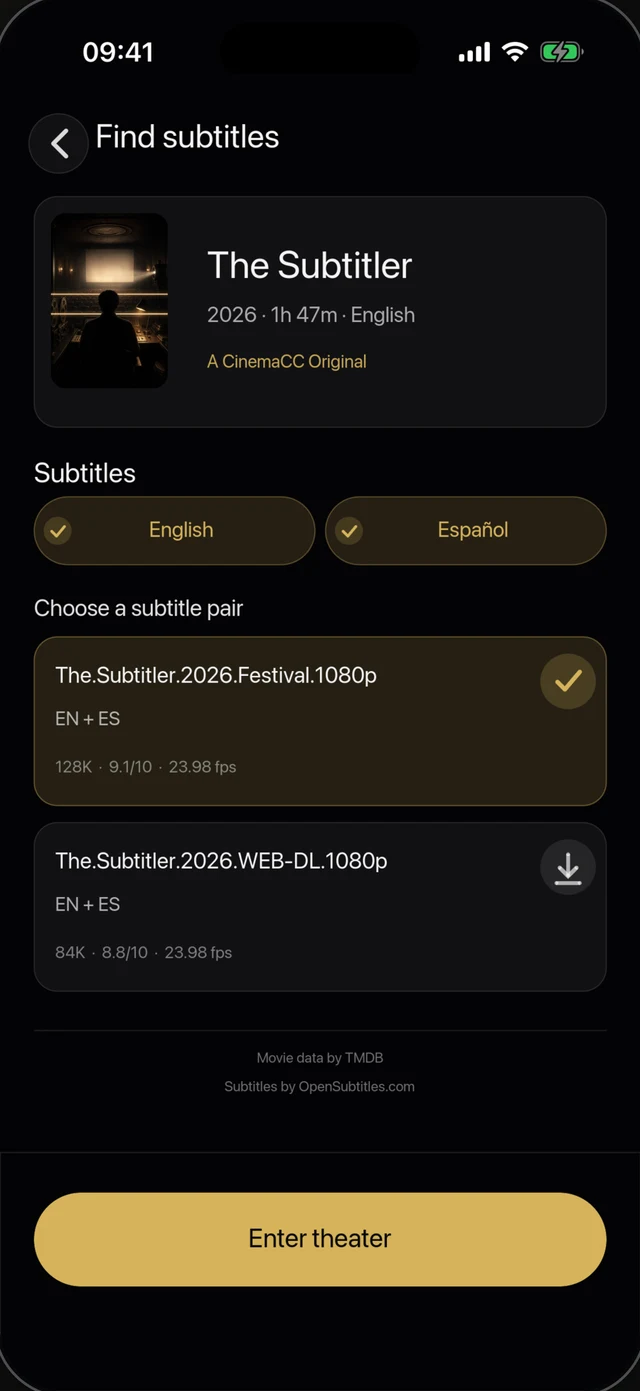
1 · Find or import subtitles
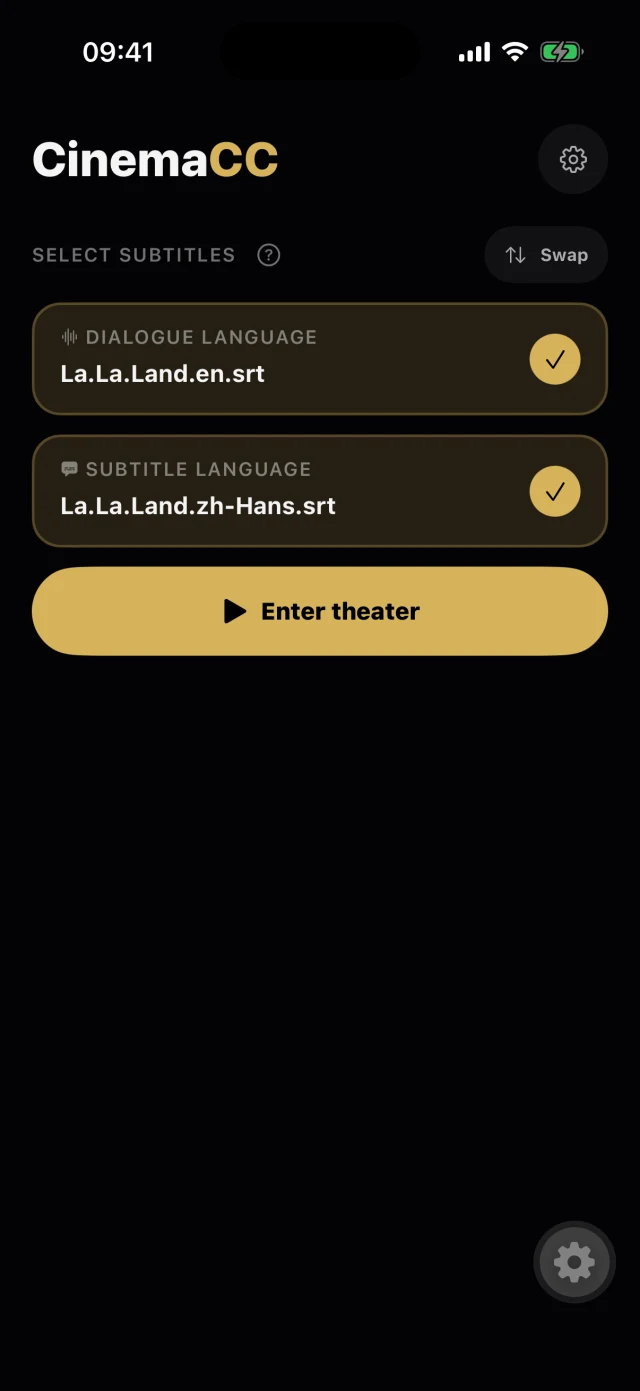
2 · The screening is ready
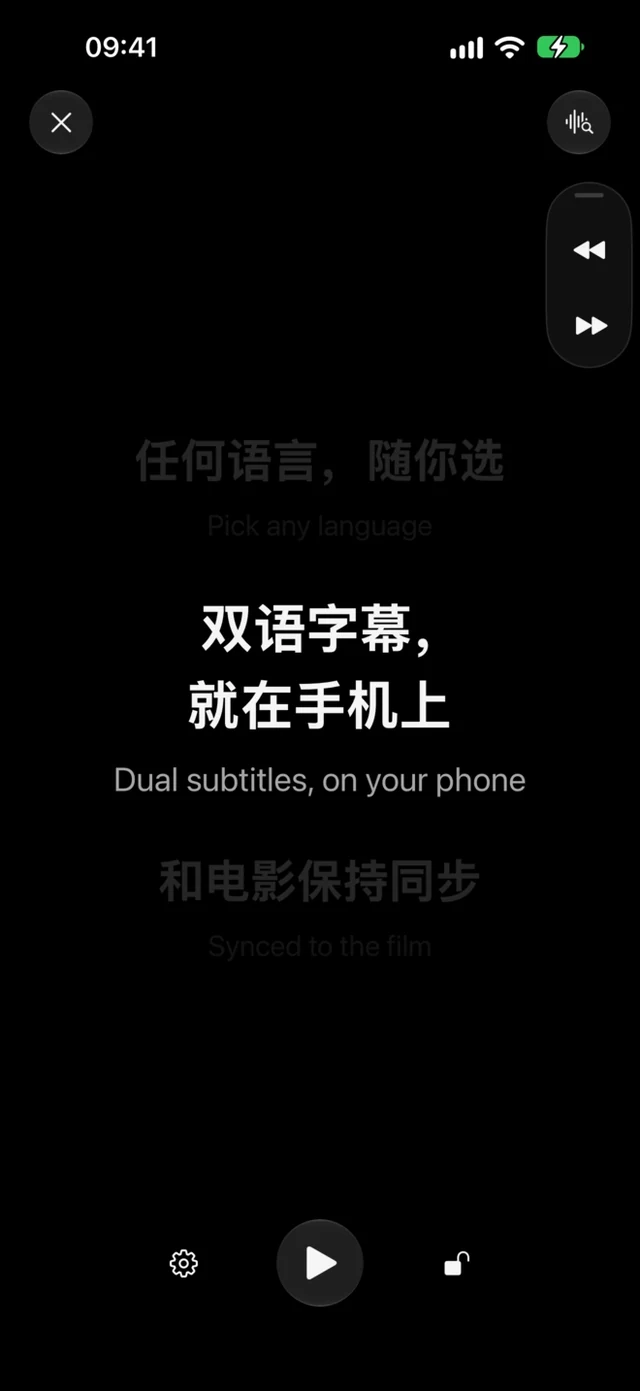
3 · Follow along in the dark
- Watch it: the CinemaCC demo on YouTube.
- Read the tests: the creator’s real cinema test notes, including timing corrections and subtitle-file problems.
- Read the background: the creator’s introduction on OpenSubtitles Blog, published September 15, 2026.
- Get the app: CinemaCC for iPhone or CinemaCC for Android, then follow the preparation checklist below.
Sources and further reading
Provider coverage, cinema listings and platform support can change. App sources were checked on September 18, 2026.
- GRETA multilingual cinema service
- GRETA setup and platform links
- TheaterEars official FAQ
- MovieReading App Store listing
- MovieReading Google Play listing
- CinemaCC creator article on OpenSubtitles Blog
- CinemaCC demo on YouTube
- Apple: Live Captions on iPhone
- Google: Live Transcribe
- Google: Live Caption
- CinemaCC Privacy Policy
- CinemaCC Support
- CinemaCC glasses setup
- CinemaCC on the App Store
- CinemaCC on Google Play